|
Target Reports |

Overview
The Target reports list and summarize active Coverage Groups based on the state of the check boxes for Rep target and RRAC target on the Coverage Property window. There are two different reports:
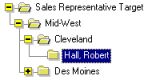
- Sales Representative Target
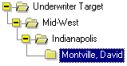
- Underwriter Target
The lead Sales Rep owns the whole Case for reporting purposes. The Underwriter in this context is the person who is assigned to the Coverage Group as Underwriter. In fact, this person can have any RRAC role assigned in Sun Link. It is not necessarily the person who works on the current Activity.
Table of Contents
- To see a list of Coverage Groups that are marked as target for this Rep or Underwriter, click on a Rep's or an Underwriter's name.
- To see a list of Reps (Underwriters) and the total number of target Coverage Groups for each Rep in this Group Office, or the total number of Coverage Groups that was sent to the RRAC from this Group Office to each Underwriter, click on a Group Office name.
- To see a comparison of Group Offices with regard to the number of target Coverage Groups, click on a Region name.
Report Detail
 The sample reports are taken from the lowest level of detail - Coverage Groups by Rep and Underwriter.
A list of Coverage Groups showing the first 20 characters of the Sponsor name and the Coverage Group list text, which is initialized by the system. It includes a list of Product Lines in the Coverage Group that can be changed by the user.
The current workflow Activity of this Coverage Group.