|
Prospect Activity Reports |

Overview
The Prospect Activity reports list Cases and their Prospects by various parameters.The Prospect Activity reports come in two different variants:
- by Rep and Office
- by Office and Profit Center
It is important to understand the relation between Profit Center and Prospect on this report. A Prospect is defined as the occurrence of a Product Line in a Case's Coverages. All Profit Centers except Sun Enterprise can have products in only one Product Line; therefore only one type of Prospect will show up in each Profit Center group.A Prospect will disappear from the report when an Outcome is determined and the Prospect is no longer a Prospect.
Table of Contents
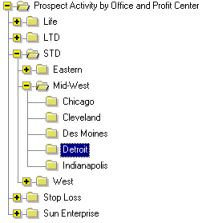
Neither report has summary pages. However, the Prospect Activity by Office and Profit Center report lists all Prospects for a Group Office; whereas the Prospect Activity by Rep and Office report lists all Prospects for a Rep.
Report Detail
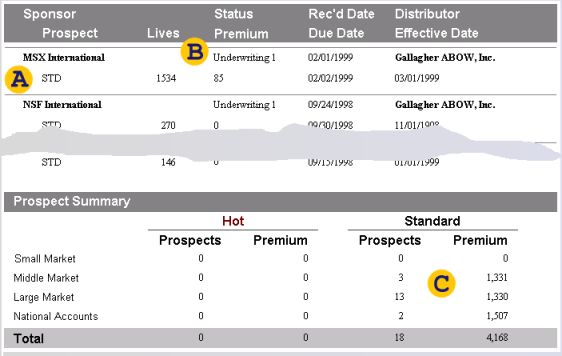
The list shows Cases and their Prospects. Each Case is identified by the Sponsor name. Prospects are identified by the Product Line name.
The Case Status is determined by the Activity of the Coverage Group that is least advanced in the process. This can be confusing on the report by Profit Center, since a Prospect can be spread out over several Coverage Groups on one hand, but on the other hand a Coverage Group can contain multiple Prospects. A Prospect does not have its own status.
In any case, keep in mind that the Case Status is probably determined by a different Coverage Group than the one that the listed Prospect belongs to. The number of lives and the premium is the sum of all Coverages. Of course, premium is not available before rates were run for at least one Plan Design. The number of lives is taken from the Coverage, the rating results, or the Proposal, if available.
The report by Profit Center should show small market Prospects for Sun Enterprise only.
See also: Coverage Activity Report